If you run a 3–15 person architecture practice in India that's still on AutoCAD, you've probably had this conversation a dozen times: "we should move to BIM." Then you priced out the licences, looked at the disruption, and put it off another quarter.
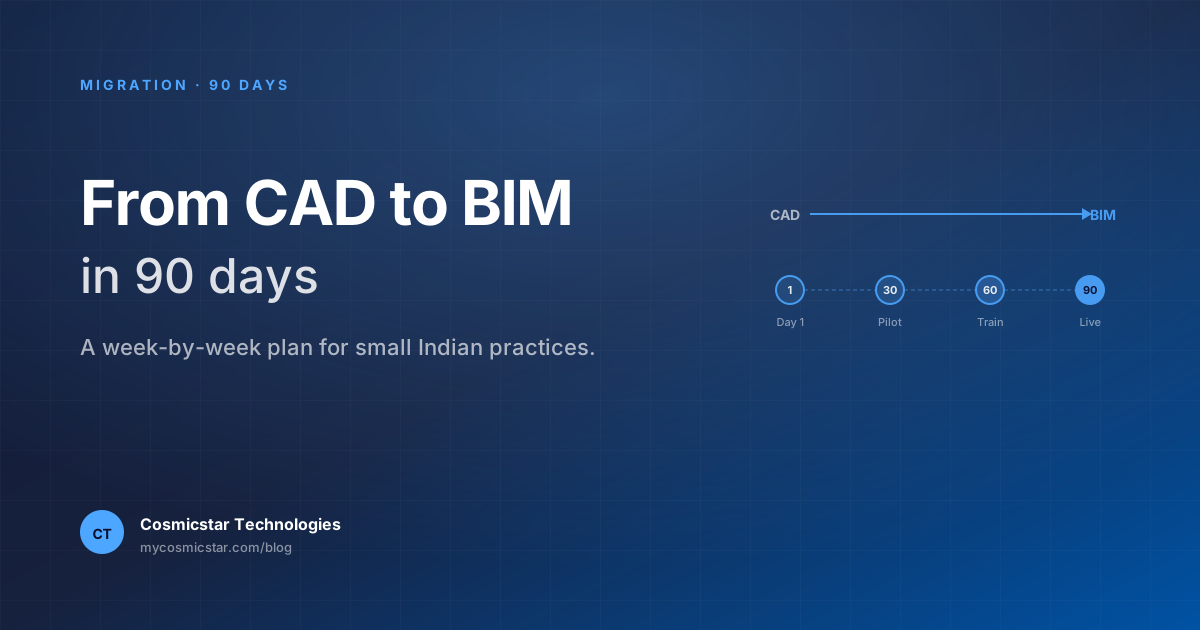
This is the plan we use with practices in your situation. Ninety days, with billable work continuing through the entire migration. We've run it dozens of times.
Before you start: three commitments
Migration succeeds or fails on three commitments from the principal:
- Pick one tool and stop the debate. Most practices in your size lose three months arguing Archicad vs Revit. Pick one (we recommend Archicad for most Indian practices). Go.
- Designate an internal champion with 25% time off billable work for 90 days. Without this, every other line of this plan fails.
- Don't migrate active deadline-critical projects. All current projects finish in CAD. Migration applies only to projects starting after Day 30.
If you can't make all three commitments, postpone. A half-hearted migration is the worst outcome.
Day 1–7: Tooling and licences
- Buy 3 perpetual Archicad licences with IIA member pricing. Three is the minimum that lets the champion work alongside two other architects.
- Order Solibri Site as well — you'll need it from week 6 onward for model checking.
- Bluebeam Revu for the document controller's workstation (for RFI and tender markup workflows).
- Set up file storage: dedicated
BIM_PROJECTSfolder structure on your existing drive or NAS. Don't over-engineer — Google Drive or Dropbox is fine for a small practice.
Total spend: roughly ₹6–9 lakh up front. Account for it.
Day 8–21: Champion's intensive training
The champion (you, or a senior architect you've designated) does an intensive Archicad training programme. We recommend a structured 60-hour course like our Archicad BIM Training Program. Two weekends + evening sessions covers it.
The other architects: keep working in AutoCAD. They'll be trained later. Do not try to train everyone simultaneously.
Day 22–35: Build the office template
This is where most migrations skip and pay for it later.
The champion builds a firm-specific .tpl template. Contents:
- A0/A1/A2 master layouts with your firm's title block
- Default views: floor plan, RCP, ceiling plan, sections, elevations
- Door, window, fixture libraries with Indian-standard sizes
- Composite walls for the most common construction types you use (RCC + plaster + brick, etc.)
- Material schedules, room schedules, area calculations matching your typical drawing set
- An IFC export setup that produces clean files for typical structural and MEP consultants
- A naming convention document for files, models, views, sheet codes
Budget: 80 hours of champion time over 2 weeks. Some of this you can outsource to a consultant or template-builder; we offer template builds as a service for clients of our training programme.
At the end of week 5, the champion should be able to start a new project in 10 minutes and have a working sheet set in 2 hours. That's the test of whether the template is done.
Day 36–60: First pilot project
Pick a new project starting in late February or early March. Ideally:
- A residential project (less coordination, faster cycle)
- 800–2500 sq.ft. (large enough to be representative, small enough to finish in the pilot window)
- A trusting client (the one who'll forgive a few drawings being two days late)
The champion architects this project entirely in Archicad. One additional architect from your team shadows the champion — this is their training. Schedule explicit "BIM mentoring" hours, twice a week.
Ground rules during the pilot:
- The pilot project gets 30% time buffer. Don't try to do BIM at the same speed as CAD on the first project. It will break.
- Drawings issued from the pilot project are reviewed before they go out — not because BIM is unreliable, but because your team is still learning.
- Track every problem in a "Migration Lessons" document. Most teams hit the same 8–12 issues. Build the FAQ as you go.
Day 61–75: Train the next two architects
By Day 60 your champion has run a complete BIM project end-to-end. Now bring in 2 more architects. They get:
- A 40-hour training programme (shorter than the champion's because the office template already exists)
- A pilot project of their own to start, with weekly review by the champion
In parallel, the champion begins designing the second BIM project — this one with structural consultant coordination. Use the IFC export workflow you set up to send a model to the structural consultant and get one back.
Day 76–90: Federate, check, and document
By Day 90 you should have:
- Two architects + champion fully on Archicad for new projects
- Pilot project nearing tender stage
- First federated coordination meeting with structural consultant complete (architecture + structure model in Solibri)
- Office template refined based on real project use
- A "BIM Project Onboarding" document for new architects joining your firm
This is the threshold of being a "BIM practice." From here, expansion is incremental — add a seat per quarter, train each new architect on the template, gradually retire CAD-only seats.
What to not do during migration
Common mistakes we've seen:
- Don't pause CAD projects. Mid-flight CAD projects must finish in CAD. You cannot rebuild halfway through a project.
- Don't try to model existing buildings just to "have a BIM library". Re-modelling old projects is a money pit. Archive them and move on.
- Don't give every architect Archicad on day 1. You'll get 5 confused architects instead of 1 productive one. Stagger.
- Don't skip the office template. You'll discover this halfway through the first pilot, when every project is being set up from scratch and consuming hours.
- Don't budget zero buffer time. Every migration eats time the first time round. Build a 30% buffer into pilot project deadlines.
What "done" looks like at Day 90
A successful 90-day migration looks like:
- One architect (the champion) fluent in Archicad, including IFC export
- Two more architects working productively under guidance
- Office template stable
- One project complete in Archicad, one in flight
- Coordination workflow with structural and MEP consultants tested
- A roadmap for the next 6 months on how to bring the rest of the team across
Note what's not on the list: "everyone in the practice on BIM." That takes 12–18 months for a 10-person practice. Day 90 is the foundation, not the finish.
Cost summary for a 10-architect practice
Direct cost of migration (year 1):
- 3 Archicad perpetual licences with subscription: ~₹6.5L
- Solibri Site: ~₹2.0L
- Bluebeam: ~₹0.6L
- Training programmes (champion + 2): ~₹1.5L
- Champion's reduced billable time (4 months × 25%): opportunity cost ~₹4–6L
Total year 1: ~₹15–17L for a 10-architect practice.
Year 2 onwards: incremental licence cost only (₹0.8–1.5L/architect/year for new seats).
Most practices break even in year 2 from saved coordination rework alone.
Frequently asked questions
What if my consultants are still on CAD? Most are. You export IFC; they import as DWG; they redraw. It's annoying but workable. As more consultants move to BIM, this gets cleaner. Don't wait for them — you go first.
Can I migrate to Revit instead of Archicad with this same plan? Yes, the plan structure works for either tool. Specific durations may stretch — Revit's learning curve is longer.
What if the champion leaves the firm? Real risk. Mitigations: (1) document the office template in detail, (2) train the second architect deeply, not just adequately, (3) keep training material for new joiners.
How do I know if I'm ready to start? Three tests: (a) can I commit to one tool decision and stop debating? (b) do I have a senior person willing to be the champion? (c) am I ok with a 30% productivity hit on the first pilot project? If yes to all three, you're ready. Get in touch and we'll plan the rollout with you.